
How to deposit a check and what is mobile deposit
Published October 11, 2026 by Angela Talbot | Reading Time: 4 minutes
-
Categories:
- Banking
- Teen Checking
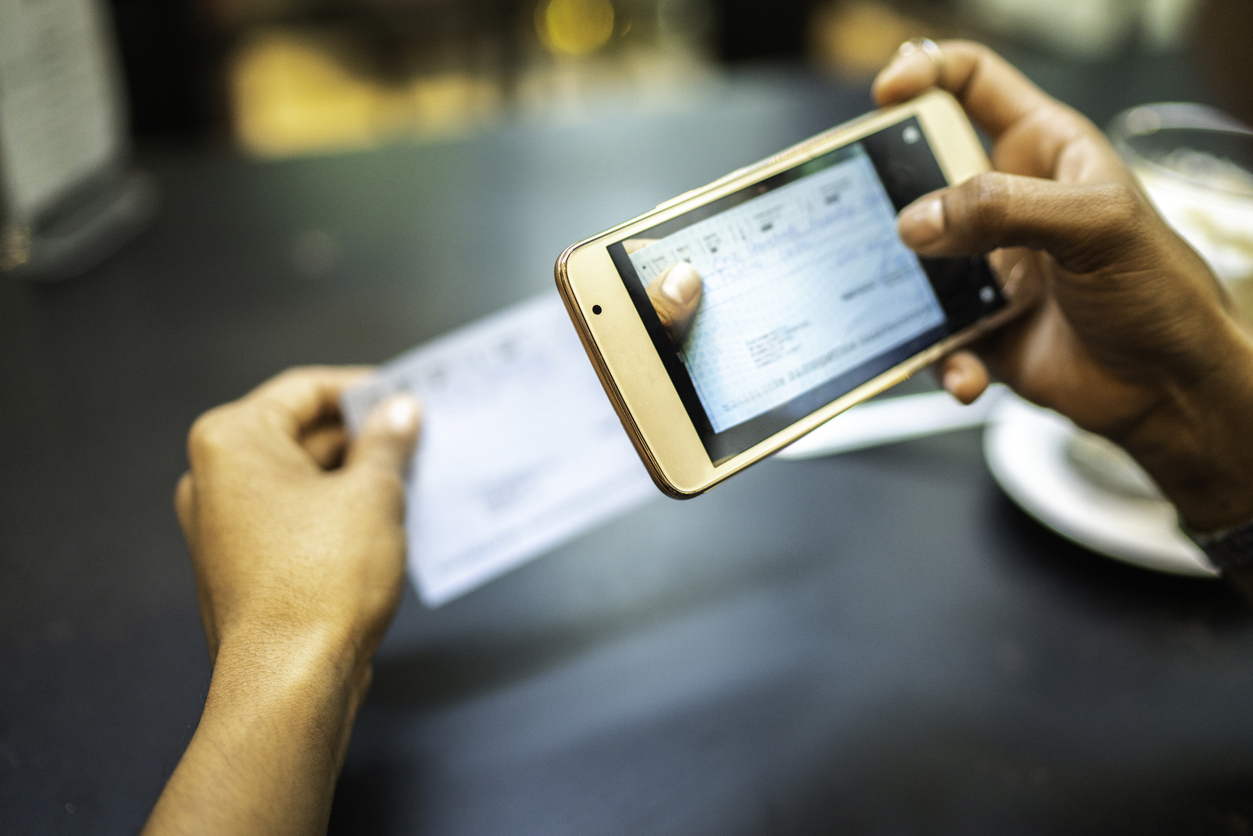
Quick answer: Depositing a check means transferring money from a written check into your account. You can do this at a branch, an ATM, or through mobile deposit — taking a photo of the check using your mobile banking app. Webster First members can mobile deposit checks in minutes, without ever visiting a branch.
Getting your first paycheck is exciting. But if you’ve never deposited a check before, the process can feel a little confusing. The good news? It’s simpler than it looks. And once you learn how to do it, it’s a skill you’ll use for the rest of your life.
What is depositing a check, and why would you need to?
When someone gives you a check, the money isn’t in your account yet. Depositing a check is the process of transferring that money into your bank account, from someone else’s, so you can actually use it. The numbers across the bottom of the check indicate the routing and account number of the other person’s account. Once it’s deposited, it will typically take overnight to “clear”, meaning all the money will be available in your account for you to use – subject to funds availability rules.
Why might you have a check? Common reasons could include, paychecks from a job, gifts from family members, or tax refunds from after you file a tax return. Tax returns from the IRS (always) and paychecks (typically) can be direct deposited to your account so you avoid getting a paper check altogether. It’s faster, more secure, more environmentally friendly, and highly recommended. But if you do find yourself with a paper check, here’s what to do:
To deposit a check, you first need to sign the back of it. This is called “endorsing” the check. Then, on or after the date written on the front of the check, you can deposit it in a branch, at an ATM, or through your mobile banking app.
What is mobile deposit?
Mobile deposit lets you deposit a check by taking a photo of it with your phone through your mobile banking app. No branch visit required.
Banks and credit unions offer mobile deposit because it’s convenient, secure, and fast.
How to use mobile deposit at Webster First
If you have a Webster First account, here’s how to deposit a check using the Webster First mobile app:
- Download the Webster First mobile app and log in to your account
- Select “Move”>”Deposit check” from the menu
- Take clear photos of the front and back of your signed check
- Enter the check amount and review the details carefully
- Submit your deposit and wait for a confirmation message
Note: To endorse a check for mobile deposit, you must write “For mobile deposit only at WFFCU” under your signature.
That’s it. Most deposits are processed within one business day.
How to avoid check scams
Protecting yourself from check fraud is an important part of managing your finances safely.
Scammers often use deceptive tactics involving checks to steal your money. One common scheme is the overpayment scam. Here’s how it works. A scammer sends you a check that exceeds the amount you’re owed, then asks you to send partial funds back to them by wire transfer, gift cards, or payment apps. You send the money from your account. The full check bounces. Once their check bounces, you’re left out of pocket for both the refunded amount and any fees.
Another frequent scam is the fake job or prize scam, where you’re sent a bogus check as part of a supposed job offer or contest win, only to be charged fees or asked for personal banking information under false pretenses.
To protect yourself from check fraud, follow these guidelines:
- Verify all checks you receive, especially from individuals or organizations you don’t know personally. When in doubt, contact the issuing bank to confirm authenticity.
- Never deposit a check from someone you don’t trust. Scammers create checks that may look legitimate but are far from it.
- Avoid sharing personal banking information. Scammers may pressure you to provide sensitive details; always stay cautious.
- Watch out for urgency. Scammers often create a sense of pressing timelines to make you act quickly without evaluating the situation.
- When in doubt, wait. Even if a deposited check shows as “cleared” in your account, it can still be returned as fraudulent weeks later.
By staying aware of these tactics and being cautious, you can help protect your finances and avoid becoming a victim of check scams.
Start managing your money with confidence
Mobile deposit is one of those skills that feels small but makes a big difference. Once you know how to do it, you’ll never have to scramble to get to the credit union before it closes or worry about misplacing a check.
Webster First Teen Checking members can start using mobile deposit right away through the Webster First app.
Frequently asked questions
What does it mean to endorse a check?
Endorsing a check means signing your name on the back of it. You need to do this before depositing. Without your signature, no bank or credit union will accept the deposit.
How long does it take for a mobile deposit to show up in my account?
Most mobile deposits at Webster First are typically processed within one business day. You’ll receive a confirmation after submitting. Large checks or deposits into new accounts may be subject to check holds exceeding one day. Learn more
Can I deposit a check made out to someone else?
No. You can only deposit checks that are made out to you. Attempting to deposit a check in someone else’s name is not permitted.
What should I do with my check after mobile depositing it?
Hold onto the physical check until the deposit is confirmed in your account. Once it’s processed, you can safely dispose of it.
What if my mobile deposit gets rejected?
Common reasons include poor photo quality, a missing endorsement signature, or a check that’s been altered. Retake your photos in better lighting and make sure the back is signed before trying again.